When something goes wrong
Last updated: November 8, 2026
Common messages and what to do about them, how to report a problem, and where BucketWorx keeps things on your computer.
When something goes wrong
| "Can't connect" in the status bar | Check the endpoint address and your network. In Settings, Accounts press Edit, then Test connection. It answers within about ten seconds and says what is wrong. |
|---|---|
| The key can't list buckets | The key works but isn't allowed to list. Type the bucket names into the account's Bucket names field. |
| "Access denied" on a share link | In a bucket with versioning on, the link is pinned to one version, and the key must be allowed s3:GetObjectVersion as well as s3:GetObject. |
| A share link stopped working | It expired, or the key that signed it was removed. With a temporary sign-in (SSO or an assumed role) it also stops when that session ends. |
| A certificate error on a server you run | Use Trust a custom certificate… in the account form and choose the certificate its administrator gave you. |
| "Copying between accounts needs BucketWorx Pro" | That is the Pro prompt. See Free and Pro. |
| "This changed since the sync preview" | A file or object changed after you previewed. Preview the sync again. |
| "N transfers didn't finish last time" | The app closed in the middle of a transfer. Choose Resume to carry on, or Dismiss to cancel them. |
| A banner says your settings file was damaged | BucketWorx set the damaged file aside (named config.broken-<time>.toml) and is using defaults. Your last good copy is config.toml.bak. |
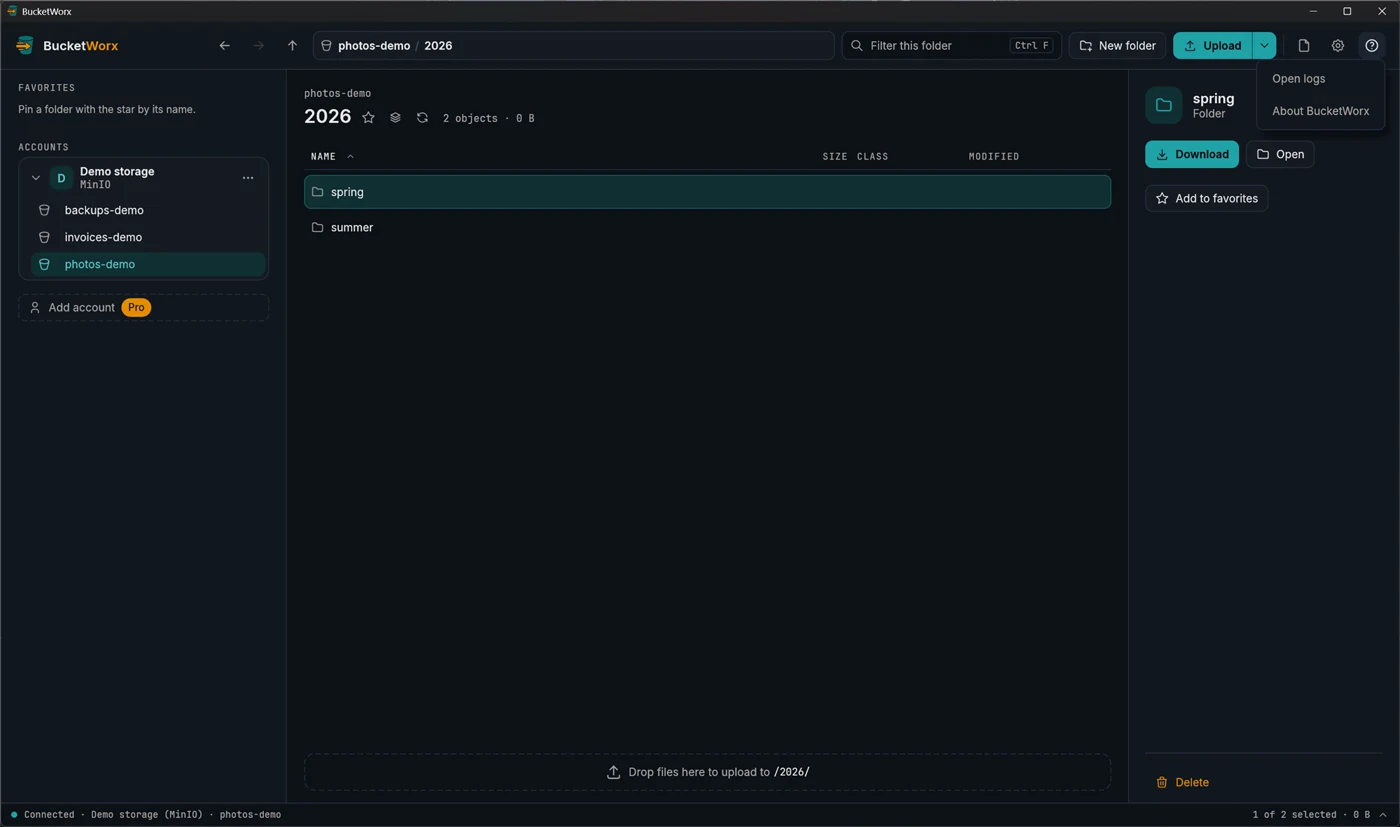
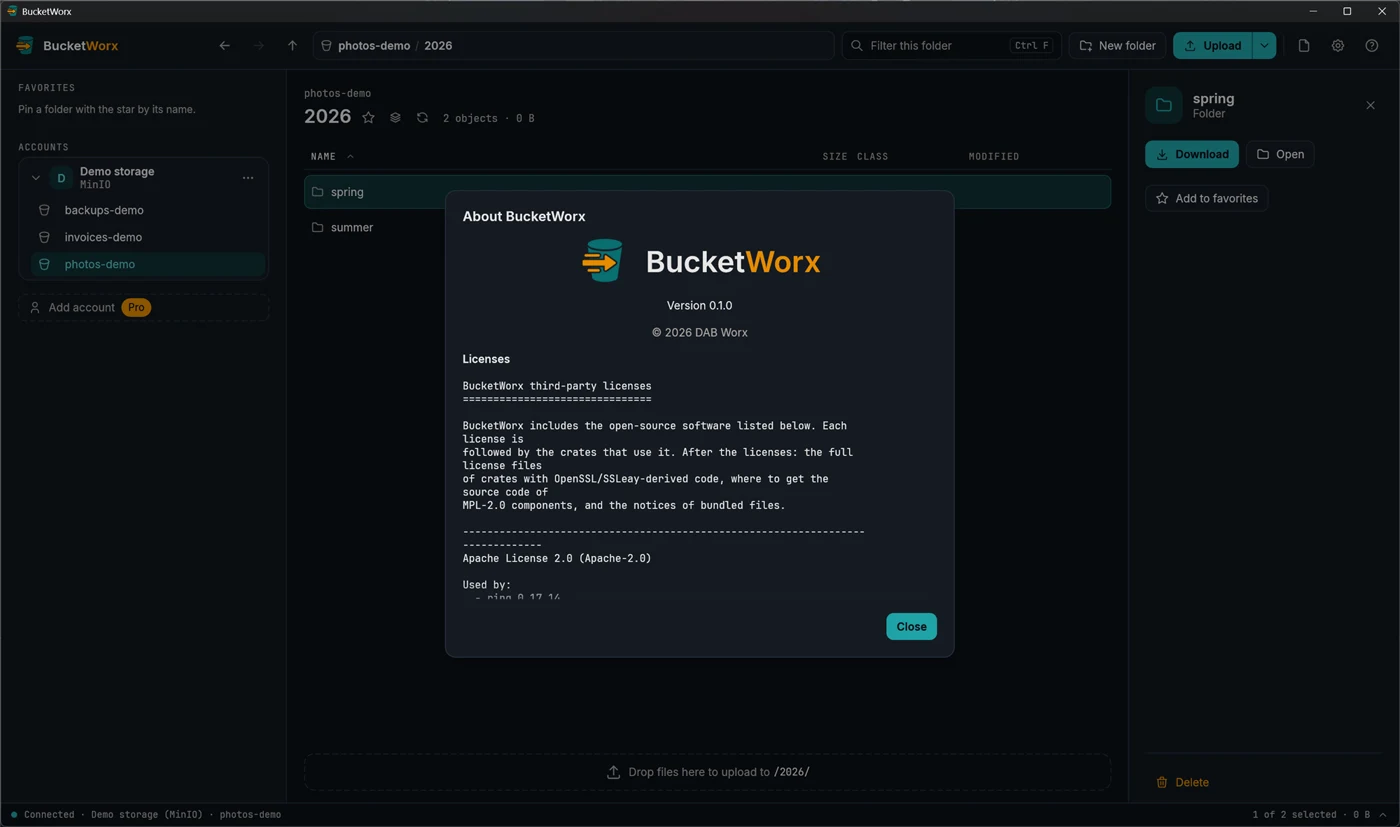
The help button (the "?" at the top right) opens the logs folder and the About window, which shows the version and every third-party licence. Logs hide signatures, credentials and secret keys. If you write to hello@bucketworx.com, include the version from About and what the message said.
Working without an internet connection
BucketWorx doesn't need the internet to start or to check your licence: the key is checked on your computer. With storage on your own network or computer, such as a MinIO, Ceph or Garage server, everything works offline: browsing, uploads, downloads, sync and the command line. Only the update check needs bucketworx.com; offline it says it couldn't reach it and carries on. (Amazon S3 and the other cloud providers need the internet, of course.) We tested this with beta 4 on November 8, 2026.
Where BucketWorx keeps things
- Secret keys: in your operating system's keychain.
- Settings: a config.toml file in your system's config folder.
- Unfinished transfers and logs: in your system's data folder.
To keep settings somewhere else, such as a USB stick, set the BUCKETWORX_CONFIG_DIR variable to a folder, or run the command line with --config-dir.
More help
Topics
- Accounts and providers
- Browsing your buckets
- Uploads, downloads and transfers
- Managing files
- Old versions, deleted files and undelete
- Buckets
- Settings and keyboard shortcuts
- The BucketWorx command line (CLI)
- AI agents (MCP)
- Free and Pro, and your licence key
Step-by-step guides
- Connect Cloudflare R2
- Connect Backblaze B2
- Connect Wasabi
- Connect MinIO or another S3-compatible server
- Sync a folder to a bucket
- Share a file with a link
- Copy files between buckets and accounts
- How providers differ, and what BucketWorx does about it
All help, including installing BucketWorx.