Share a file from a bucket with a link
Last updated: October 28, 2026
A share link lets someone download one file from your bucket without an account or keys. The link stops working on its own after the time you choose, from one hour up to seven days.
Make a link
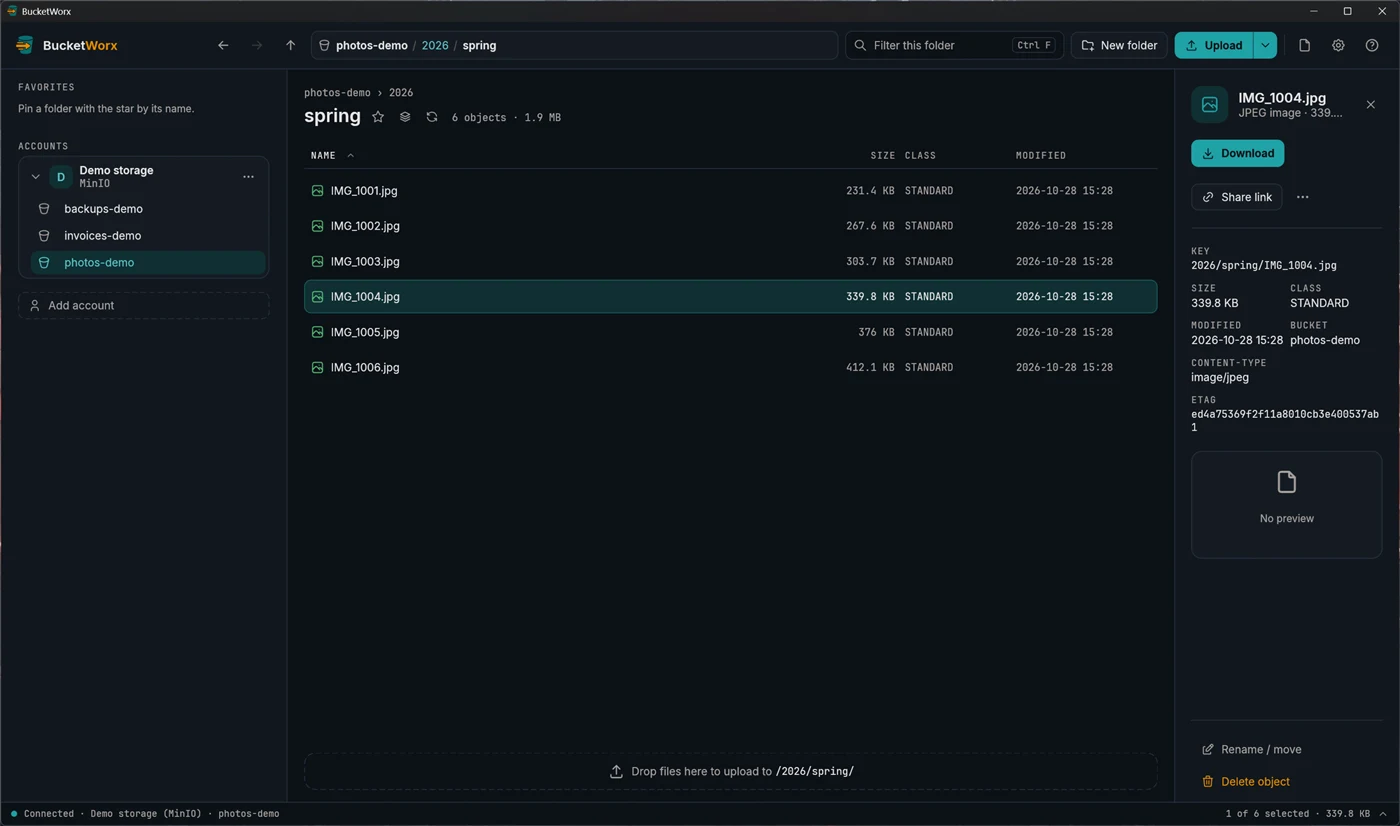
- Open the bucket and click the file you want to share. Its details open on the right.
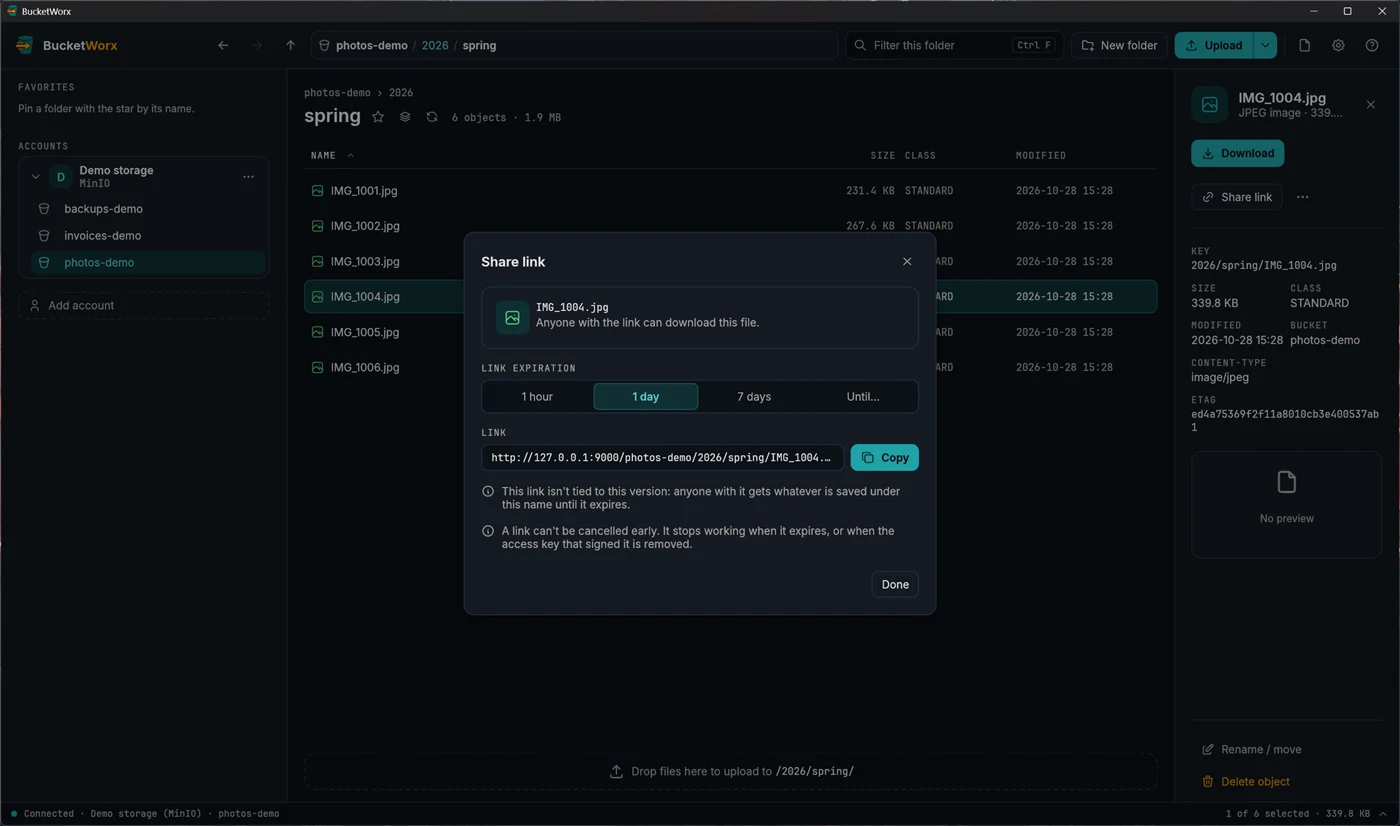
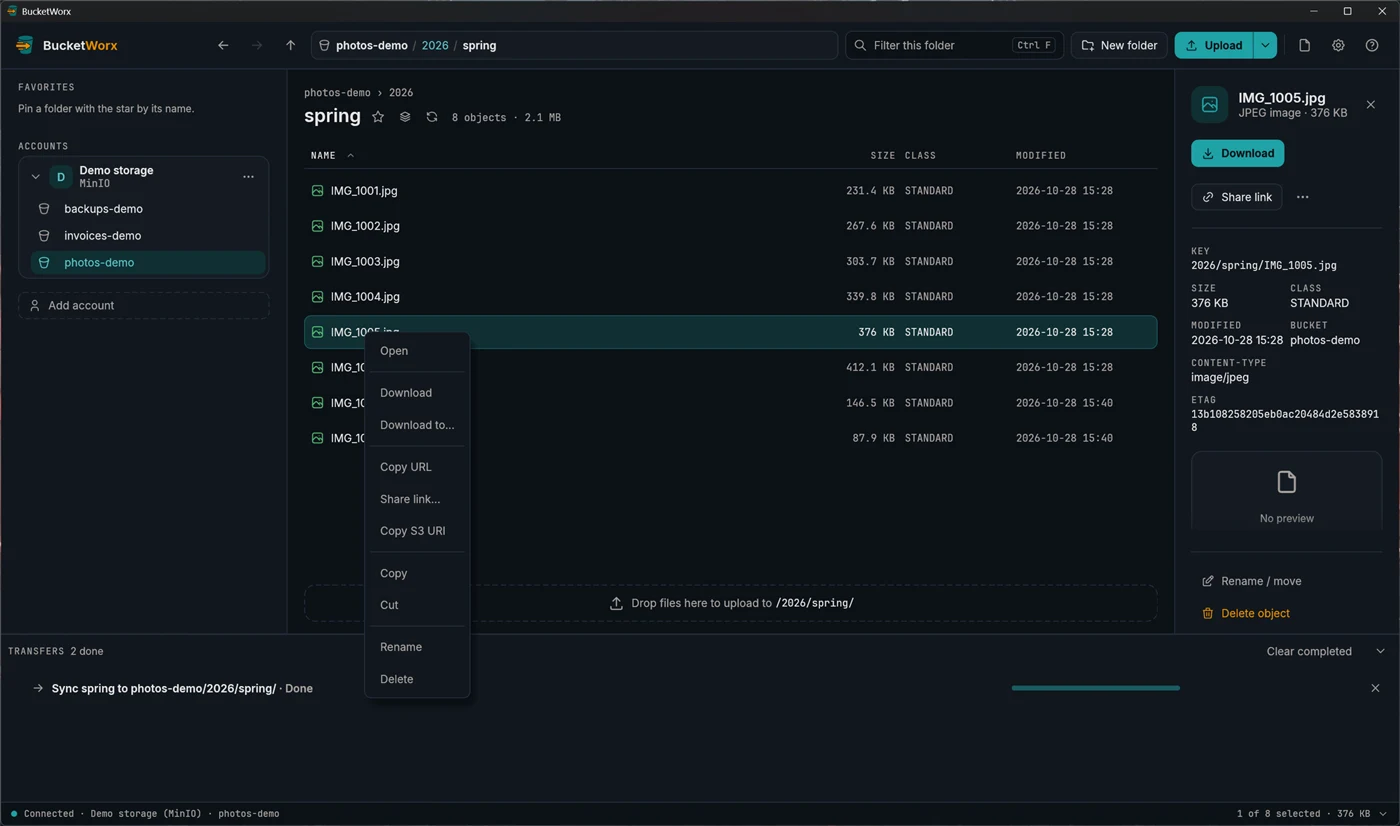
- Click Share link. You can also right-click the file and choose Share link…, or use the command palette.
- Choose how long it should work: 1 hour, 1 day (the default), 7 days, or Expire at… to pick a day and time, up to 7 days from now. The dialog makes a new link each time you change the time.
- Press Copy. The link is on your clipboard, and the status bar says until when it works, for example "Link to report.pdf copied. It works until 25 Oct, 14:32."
- Send the link. Press Done to close the dialog.
What to know before you share
- Anyone with the link can download the file. They don't need an account. Treat the link like a password and send it only to the people who should have the file.
- You can't cancel a link early. It stops working when it expires, or when the access key that signed it is removed. Choose the shortest time that does the job.
- Which version they get. In a bucket with versioning turned on, the link is pinned to the version you shared, so uploading over the file later doesn't change what the link gives. Without versioning, the link gives whatever is saved under that name until it expires, and the dialog says so.
- "Access denied" on a pinned link. A link to a specific version needs the key to be allowed s3:GetObjectVersion as well as s3:GetObject.
- Temporary sign-ins. If the account uses an AWS profile with SSO or an assumed role, the link stops working when that sign-in session ends, if that is sooner. The dialog tells you.
- Folders and missing files can't have a share link.
Copy URL is not a share link
Copy URL copies the object's plain web address. It isn't signed, so it only opens for objects that are already public. For anything private, use Share link.
From the command line
bucketworx-cli share s3://photos-demo/2026/spring/IMG_1004.jpg --expires 1d--expires takes a number with s, m, h or d, such as 90s, 30m, 1h or 7d, from one second to seven days. It prints the link.
Share links work on the free edition.