Connect Cloudflare R2 to BucketWorx
Last updated: October 28, 2026
BucketWorx can browse, upload, download and sync your Cloudflare R2 buckets from a desktop app. You need three things from Cloudflare: an access key ID, a secret access key, and your account's S3 endpoint address.
What you need from Cloudflare
- An R2 API token. In the Cloudflare dashboard open R2, then Manage API tokens, and create a token that can read and write objects. Cloudflare shows the access key ID and secret access key once, so copy both straight away.
- Your S3 endpoint. On the R2 overview page, copy the S3 API address. It looks like https://<account-id>.r2.cloudflarestorage.com and contains your account ID.
Add the account in BucketWorx
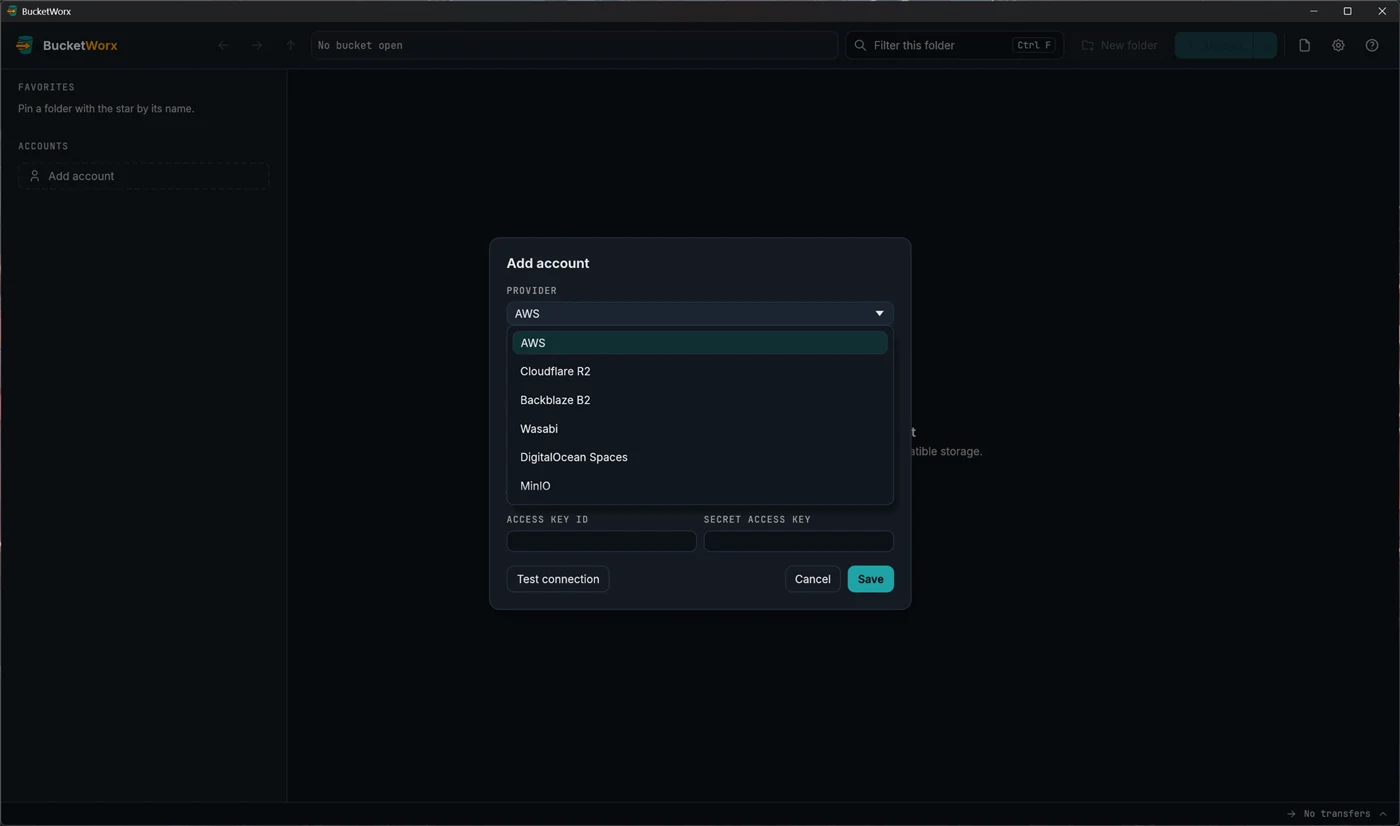
- Click Add account, in the middle of the first-launch window or in the sidebar.
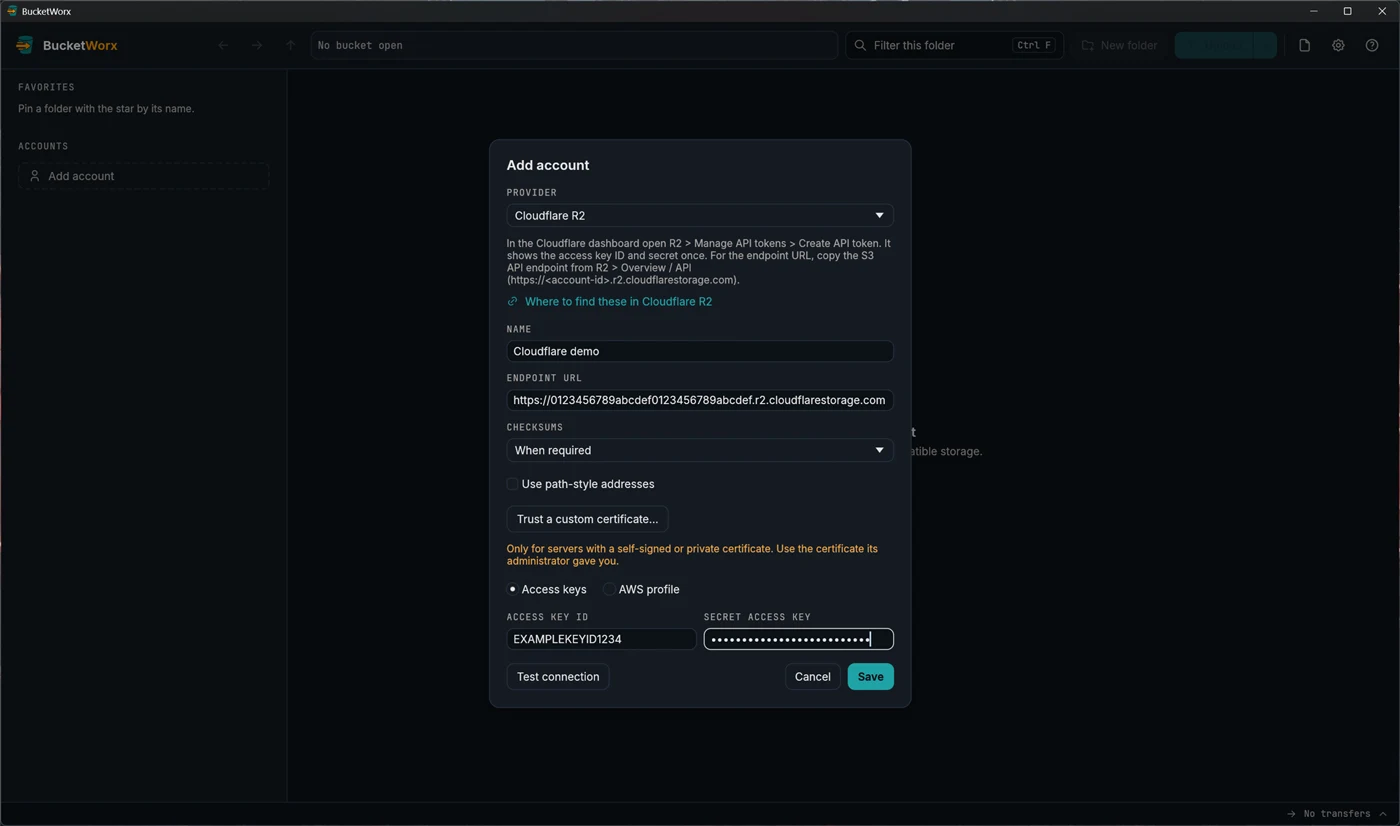
- Open the Provider drop-down and choose Cloudflare R2. BucketWorx fills in the settings R2 needs.
- Type a name you will recognise, such as "R2 media".
- Paste the endpoint address. R2 doesn't use a region, so the form doesn't ask for one.
- Paste the access key ID and the secret access key.
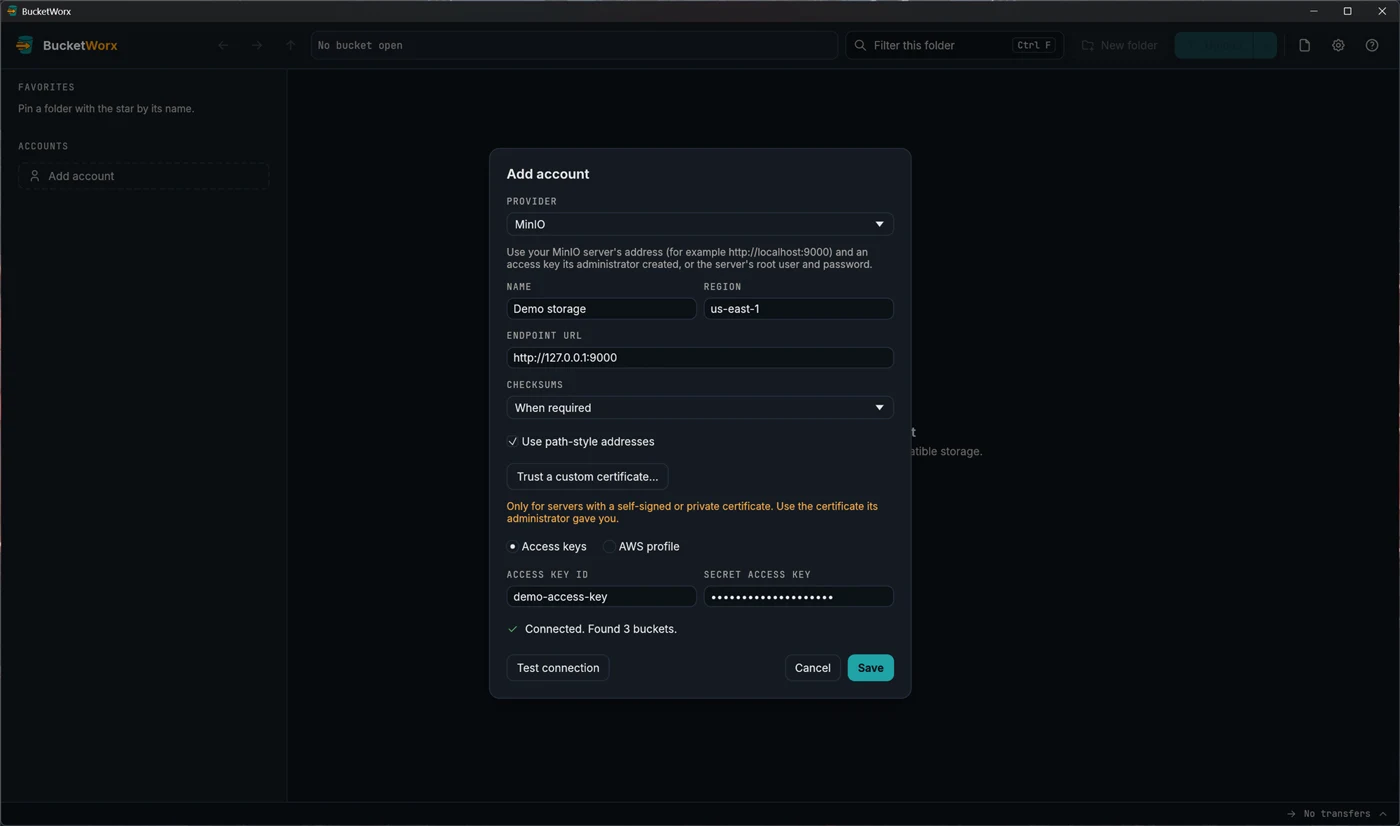
- Press Test connection. Within about ten seconds it says "Connected. Found N buckets.", or tells you what is wrong.
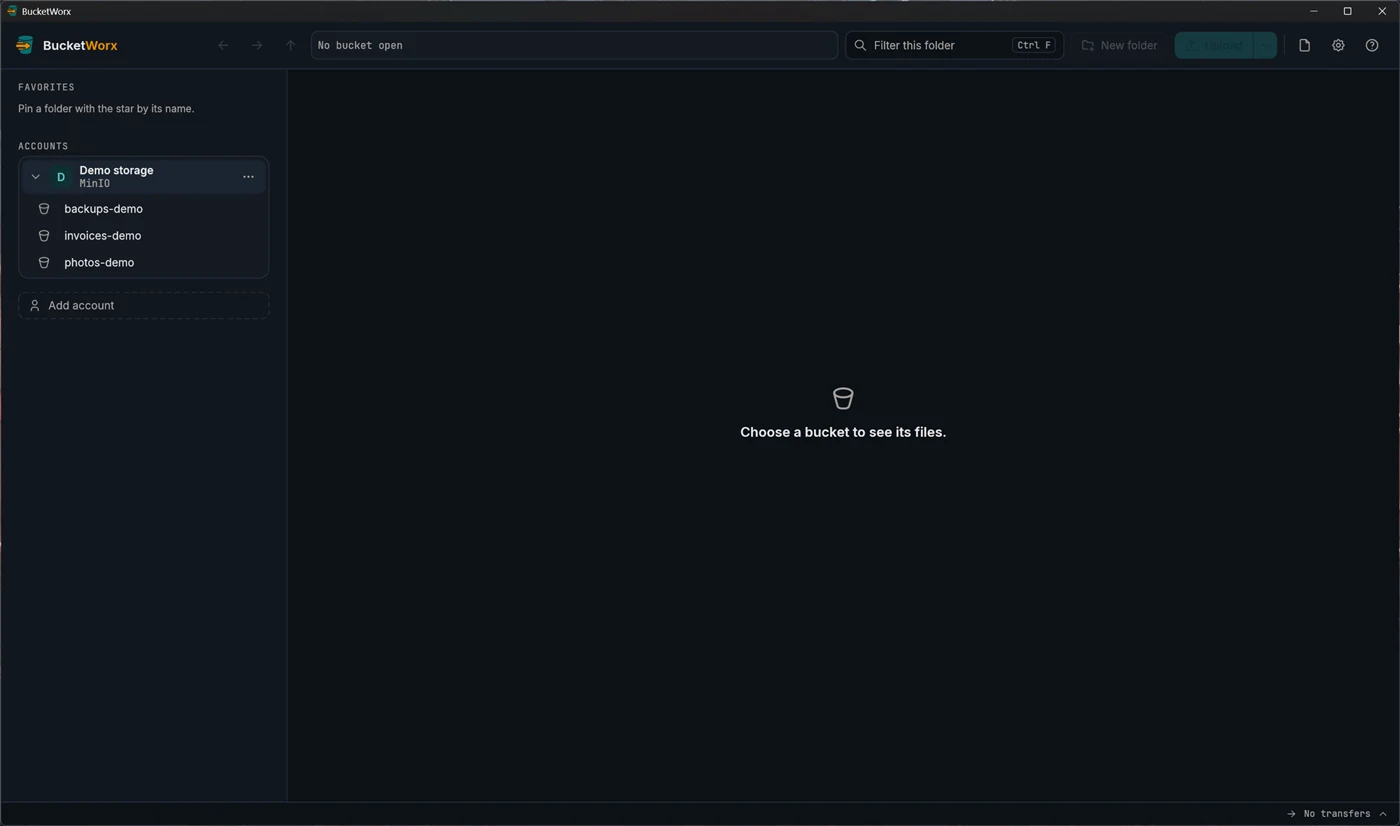
- Press Save. The account appears in the sidebar. Click it to see its buckets.
If something goes wrong
- A warning about the account ID. An R2 account ID is 32 letters and digits. BucketWorx flags anything else, which usually means part of the address was cut off when you copied it.
- You pasted a bucket's address instead of the account address. BucketWorx notices, offers the correct account endpoint, and adds that bucket to the account's Bucket names field for you.
- You can connect but see no buckets. A token limited to certain buckets may not be allowed to list them. Type the bucket names into the account's Bucket names field and they appear in the sidebar anyway.
- "Couldn't reach the server." Check the endpoint address for typos and that your network is working.
Where your keys are kept
Your secret key goes into your operating system's keychain. It is never written to BucketWorx's settings file or to its logs. To change a key later, edit the account and type the new secret, or leave the secret empty to keep the saved one.
What you can do next
- Drag files from your file manager onto the window to upload them.
- Sync a folder with a bucket, with a preview before anything changes.
- Share a file with a link that works without an account.
- Copy files between buckets, or between R2 and another provider.
The free edition uses one account. Adding a second account, for example R2 next to AWS, needs BucketWorx Pro.